Trace capital letters A–Z with a finger — free, in the browser
BibyGames has a letter tracing game for kids aged 3 to 7. Biby the fox says the name of a letter, and your child traces it with a finger along the dots, one stroke at a time. It runs in the browser, so there is no app to download, no ads and no sign-up.
▶ Play now, it's free What it does not do
To get to tracing, open the game, choose Letters and then Trace.
How the tracing works
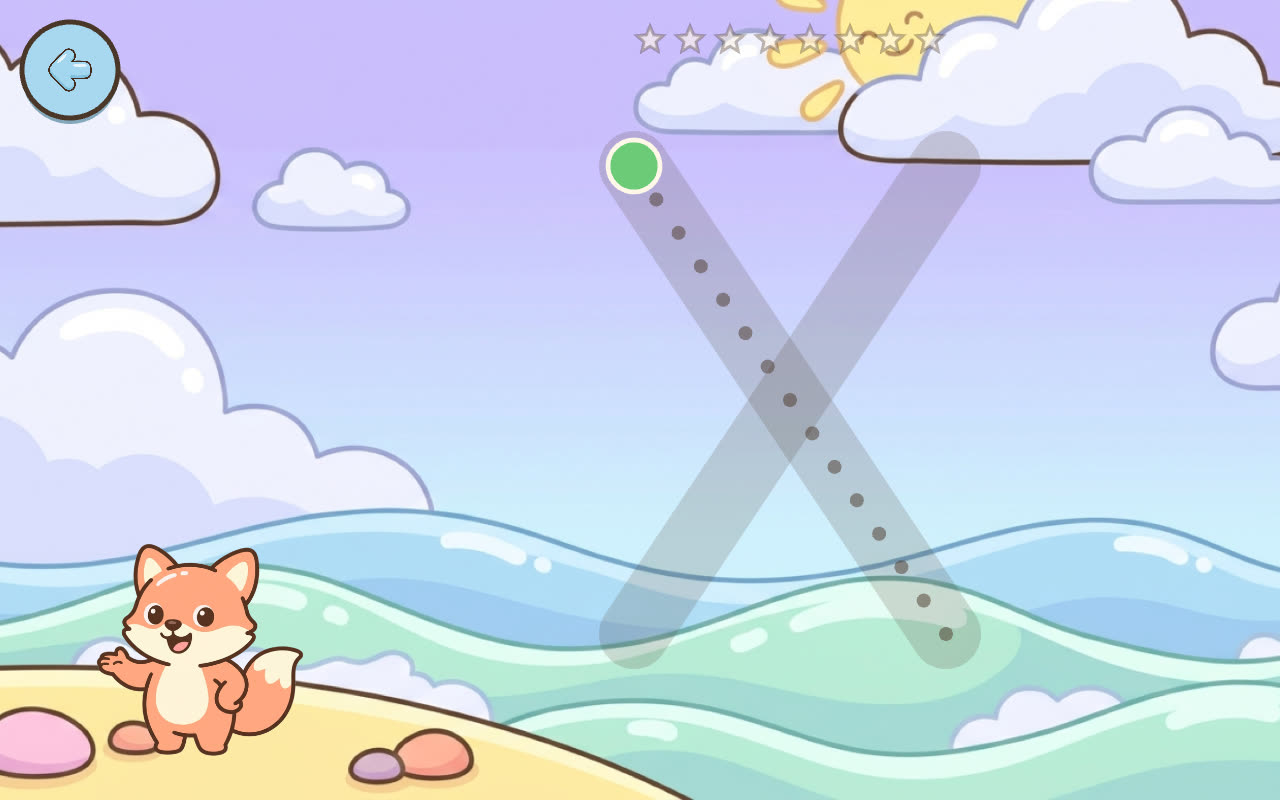
- Biby names the letter. There is no text in the game. A clear American English voice says the letter name, so your child doesn't need to read anything.
- A green dot shows where to start. Every stroke has its own start point, and a stroke can only be started there.
- Strokes come in a fixed order. Your child drags a finger along the dots to finish one stroke, and then moves on to the next.
- You cannot fail. There is no timer and no score for neatness. Every finished tracing counts, and the round ends with one to three stars and, now and then, a sticker for the album.
All 26 capital letters are there, A to Z. The game remembers which letters your child has practiced and brings up the less familiar ones more often.
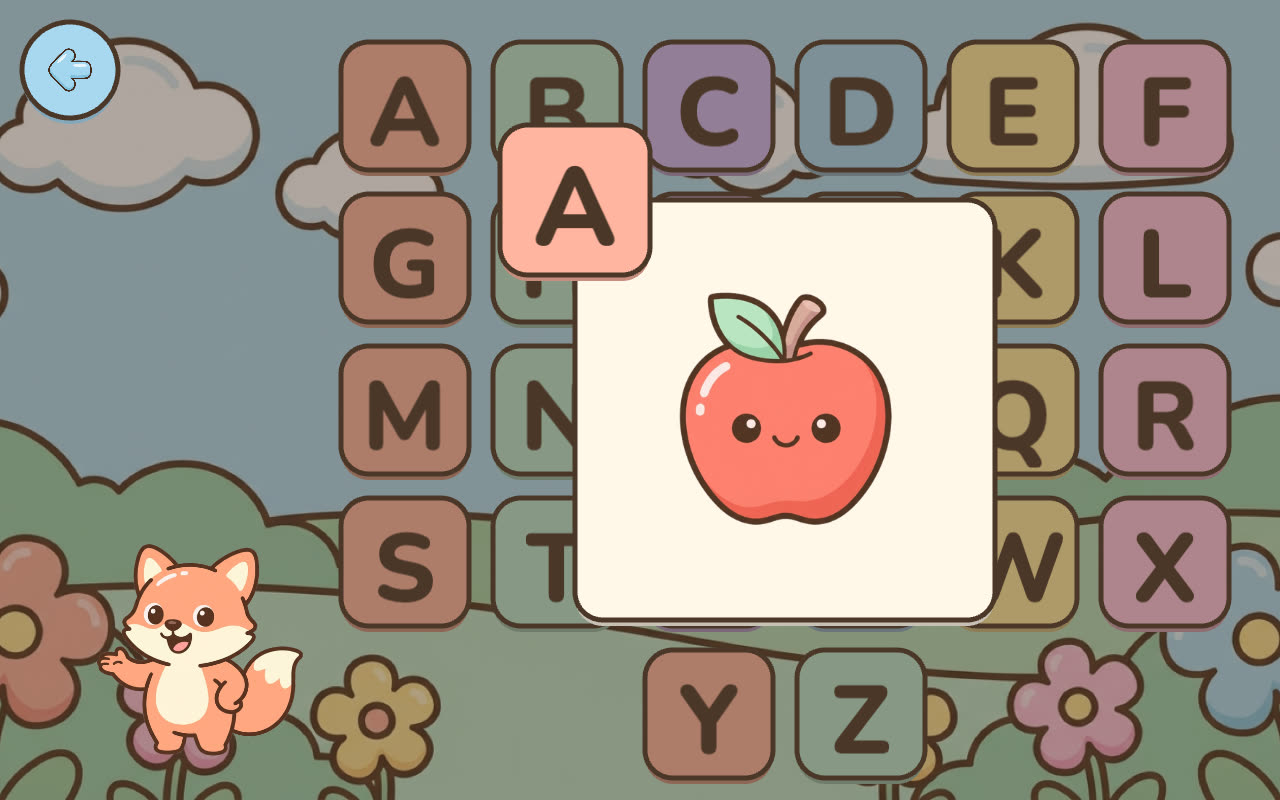
Tracing is one of three letter modes. In Explore, your child taps any letter on a wall of 26 and hears its name and a word, like “A is for apple” or “R is for rocket.” In Find, Biby names a letter and your child picks it from three cards, later four. The three modes work well together: hear it, spot it, trace it.
Works on an iPad or Android tablet without installing an app
BibyGames is a web app. It is not in the App Store or on Google Play. You open www.bibygames.com and play. If you want an icon on the tablet, add it to the home screen:
- iPad or iPhone (Safari): Share → Add to Home Screen → Add.
- Android (Chrome): ⋮ → Add to Home screen, or Install app.
The first launch has to be online and downloads about 20–25 MB of voice and pictures. After that everything works offline, including the voice. New versions download in the background. There is more about that on the page about offline games for toddlers.
Tracing also works with a mouse on a computer or on an interactive whiteboard, though a finger on a tablet feels the most natural. I have not tested Amazon Fire tablets.
What it does not do
I would rather tell you this up front than have you find out later.
- Capital letters only. There are no lowercase letters in the game. Your child will need lowercase too, and that has to come from somewhere else.
- No phonics. Biby says letter names (“bee,” “zee”), not letter sounds. The game does not teach blending or reading.
- It is not handwriting practice. I have found no solid evidence that tracing with a finger on a screen improves handwriting, so I don't claim it. What the game does is show where each stroke starts and what order the strokes come in, and it gives your child one more way to get familiar with the shape of each letter.
- It is not therapy or an assessment. If you are worried about your child's fine motor skills, talk to their teacher or pediatrician.
Occupational therapists are cautious about tracing in general. The pediatric OT blog The OT Toolbox writes that tracing has its time and place, but that for a child with poor visual-motor skills it can lead to reduced carryover of letter formation, especially when the child can start a line anywhere. It finds tracing more useful with directional cues such as numbered strokes, and recommends multisensory activities alongside it. The article is about tracing on paper and does not discuss screens. You can read it here: To Trace or Not to Trace (The OT Toolbox).
So please pair the game with the real thing: paper and chunky crayons, chalk on the sidewalk, a finger in sand, letters made of play dough. Ten minutes of tracing with Biby and then drawing the same letter big on paper is a better plan than thirty minutes on the tablet.
No ads, no account, no data about your child
- Free, the whole game. All 26 letters and every mode. Nothing to unlock, no in-app purchases.
- No ads.
- No sign-up. There are no accounts at all.
- No data collected about your child. Progress is stored only on the device. I measure anonymous traffic only, with Google Analytics in cookieless mode.
- A feedback form (run by a third party, Freelo) opens only from the envelope icon meant for parents.
More detail is on the page about learning games with no ads and in the guide for parents.
Number tracing too
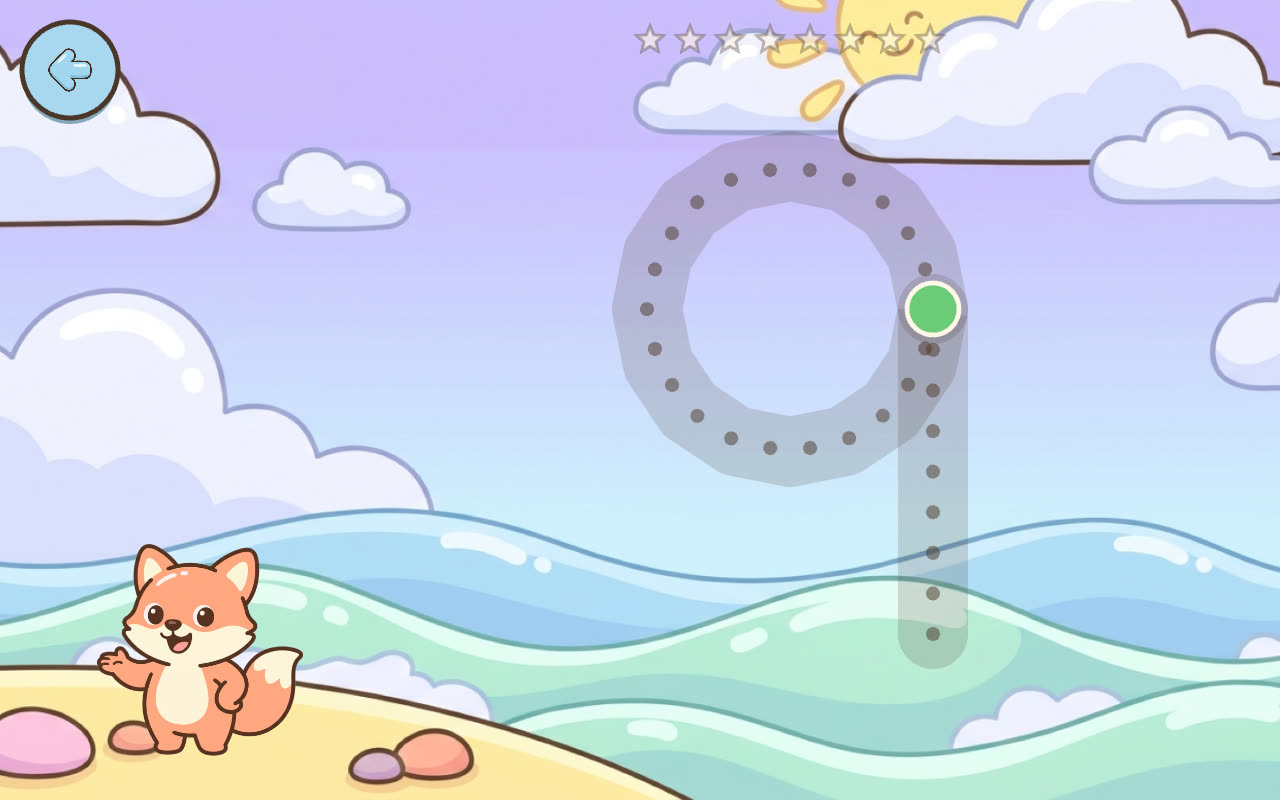
The same tracing, with a green start dot and strokes in a fixed order, is there for the digits 1 to 10. It sits next to counting and number-finding games. See number games 1–10.
Common questions
What is a letter tracing game?
It is a game where a child follows the shape of a letter with a finger instead of a pencil. In BibyGames, Biby the fox says the letter name, a green dot marks where each stroke starts, and the child drags a finger along the dots, stroke by stroke.
What age is letter tracing for?
BibyGames is made for ages 3 to 7. Younger children usually start with the Explore mode, where they just tap letters and listen. Trace tends to fit once a child starts to wonder how letters are made. There is no timer and no way to fail, so it is fine to try early and come back later.
Does tracing on a tablet help with handwriting?
I don't know, and I have found no solid evidence that it does, so I don't claim it. The game shows where each stroke starts and the order of the strokes, and it helps a child get to know the letter shapes. Holding and controlling a pencil is a different skill that needs paper and crayons. The OT Toolbox, a pediatric occupational therapy blog, has a careful view on tracing in general: To Trace or Not to Trace.
Can my child trace letters on an iPad without downloading an app?
Yes. Open www.bibygames.com in Safari and the game starts. It is a web app, not an App Store app. If you want an icon, tap Share, then Add to Home Screen, then Add. It then opens full screen like an app.
Is it really free — what's the catch?
There isn't one. The whole game is free, with all 26 letters, no ads, no in-app purchases and no account. I'm a dad from the Czech Republic and I built it for my daughter. Parents who want to can chip in toward the running costs on the support page, but nothing in the game depends on it.
Does it teach uppercase or lowercase?
Uppercase only. All three letter modes use the capital letters A to Z. There are no lowercase letters in the game, so plan to cover those with books, paper and other tools.
Should my child use a finger or a stylus?
The game is built for a finger. It also works with a mouse on a computer and with touch on an interactive whiteboard. I have not tested styluses. A pencil grip is best practiced with a real pencil or crayon on paper.
Does it work without internet?
Yes, after the first launch. The first launch has to be online and downloads about 20–25 MB of voice and pictures. After that everything works offline, including Biby's voice.