
A free kids game that works in airplane mode — set it up in 2 minutes
BibyGames is a free letters and numbers game for children aged 3 to 7 that works with no Wi-Fi and no mobile data. It is a web app, so there is nothing to get from the App Store or Google Play. You open it once while you are online, add it to the home screen, and from then on the whole game runs offline, including the voice.
▶ Play now, it's free Set it up for a trip
Set it up before you travel
Do this at home, on Wi-Fi, on the tablet or phone your child will use.
- Open it once on Wi-Fi and let it load fully. Go to www.bibygames.com and wait until the game's menu appears. The first load downloads the voice and pictures, about 20–25 MB.
- Add it to the home screen.
- iPad / iPhone (Safari): tap the Share icon (a square with an arrow pointing up), choose Add to Home Screen, then tap Add.
- Android (Chrome): tap the three dots (⋮) in the top right corner and choose Add to Home screen or Install app.
- Test it before you travel. Turn on airplane mode, then open the game from the new icon on the home screen. Start a round and check that Biby talks. If it works now, it will work on the plane. Turn airplane mode off again when you are done.
Step 3 is the one people skip, and it is the one that matters. Any game can say it “works offline.” Two minutes in airplane mode at home tells you for sure, and it is a good habit for every app you pack for a trip.
What works offline
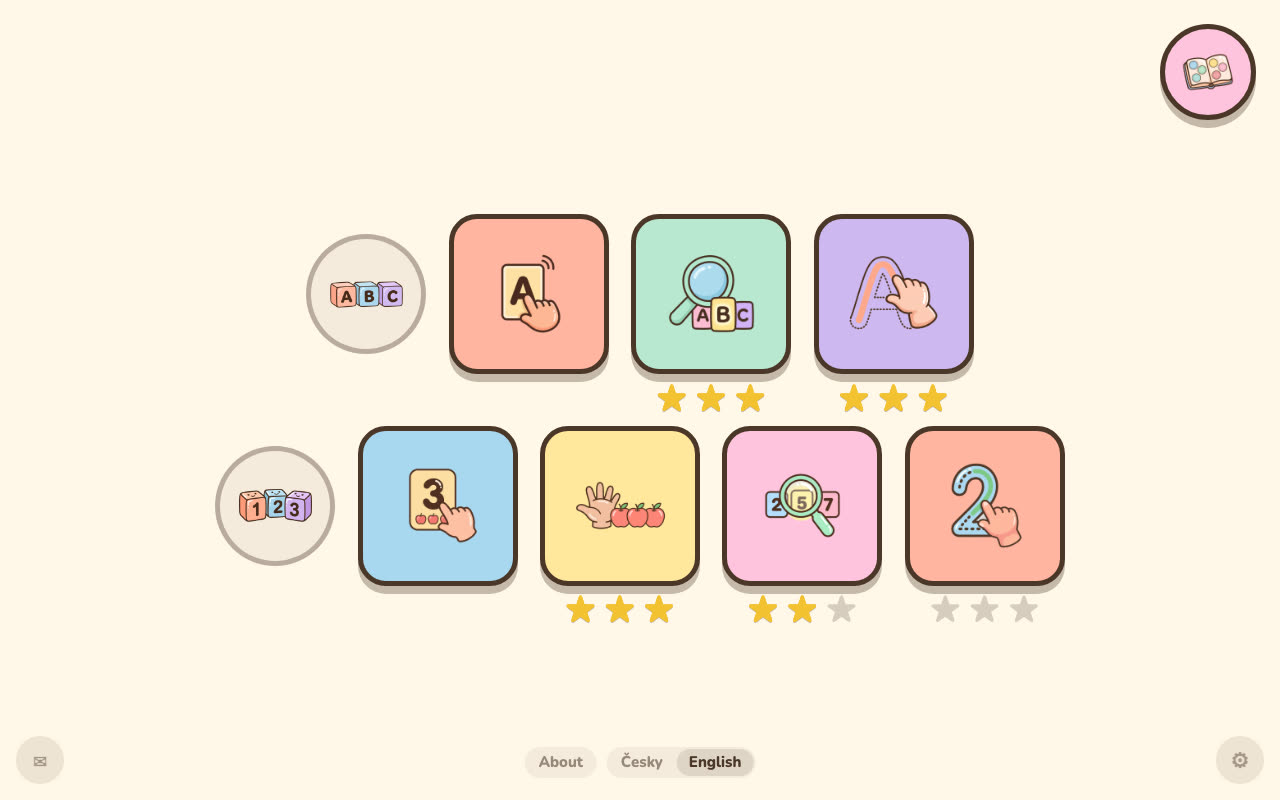
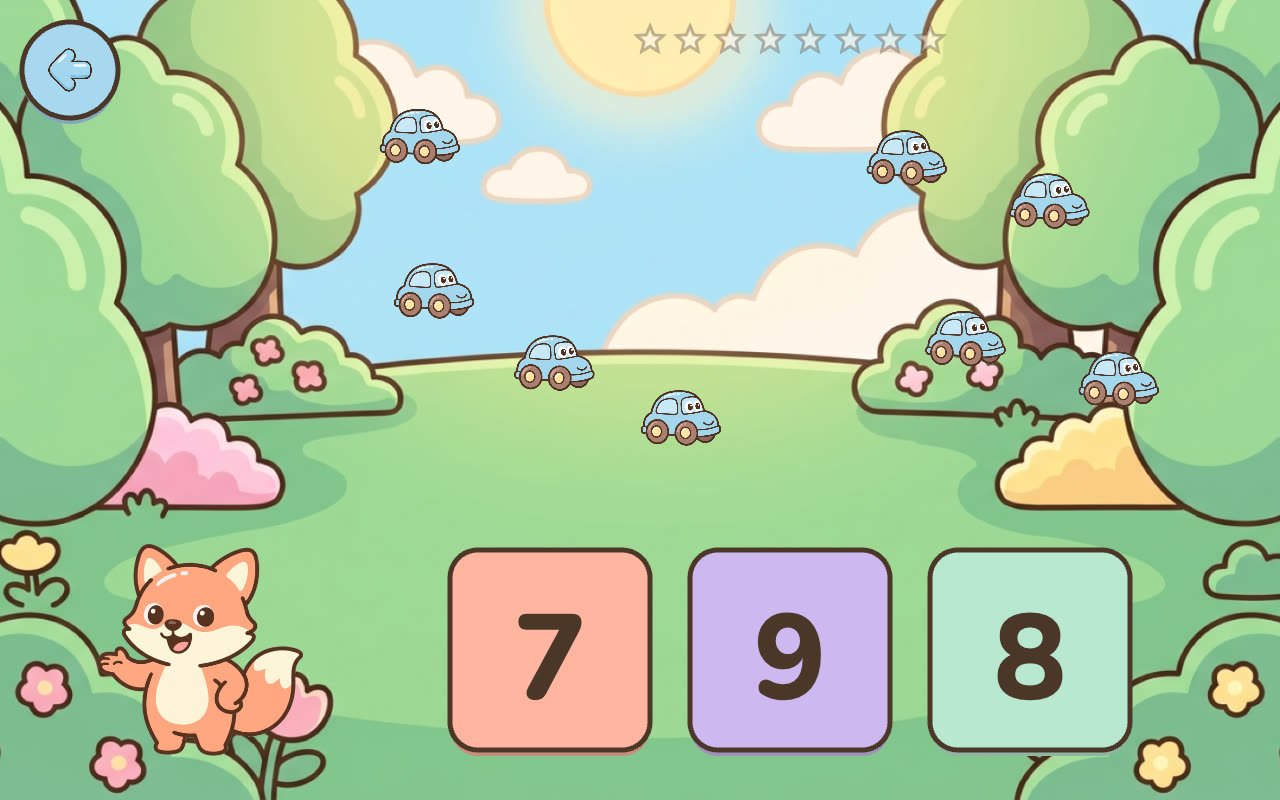
Everything. All seven modes (explore, find and trace for letters; explore, count, find and trace for numbers 1–10), Biby's voice, the stars, the sticker album and the parent view behind the lock. Progress is saved on the device, so nothing is lost when there is no connection.
There is no account, no subscription and nothing extra to download per game, so there is nothing that could ask for a login or a payment at 30,000 feet. There are no ads either. The game has no text; Biby the fox says every letter and number in a clear American English voice, so a child who can't read yet can play without asking you what the screen says.
The only things that need a connection are updates (new versions download by themselves in the background once the device is online again) and the parent-facing feedback form behind the envelope icon.
Honest limits
- iOS can clear the stored data. iPhones and iPads can clear the stored data of home-screen web apps that have not been opened for a few weeks. If you set the game up long ago, open it again on Wi-Fi shortly before the trip, let it load, and repeat the airplane mode test.
- Amazon Fire tablets: not tested. I have not tried the game on Amazon Fire or Kindle tablets, so I can't promise it works there. The airplane mode test will tell you.
- Bring headphones. The game is all voice. Without sound it makes little sense, and your seat neighbors will thank you. Check the volume before you hand the tablet over.
- The first download is about 20–25 MB. Do it on Wi-Fi, not on roaming data at the gate.
- Don't clear the browser's data. Clearing website data in Safari or Chrome removes the offline copy and the child's progress.
A few travel tips from one parent to another
Plain common sense from one parent, not from a study.
- Keep it short. A round takes a few minutes. A few rounds, then a snack, a book or the window usually beats one long stretch.
- Play along when you can. The American Academy of Pediatrics' advice for families includes “Watch and play alongside your kids” (HealthyChildren.org). Counting the toy cars together is more fun for both of you anyway.
- Let the child try it at home first. A game they already know is calmer on travel day than a brand-new one.
- Charge the tablet and pack something that doesn't need a battery, too.
Other offline options
Parent lists of no-Wi-Fi apps often name PBS Kids Games and Khan Academy Kids. Both are apps you install from a store, and how much of each works without a connection can depend on what was downloaded beforehand, so give them the same airplane mode test at home. BibyGames covers only letter names and numbers to 10; more about what is and isn't in it is on the page about what “free, no ads” means here and in the guide for parents.
Common questions
Do toddler games work in airplane mode?
Some do and some don't, and the description doesn't always tell you. The reliable way to find out is to turn on airplane mode at home and open the game. BibyGames works fully in airplane mode once it has been opened and fully loaded one time while online.
How do I put a website on my iPad home screen?
Open the site in Safari, tap the Share icon (a square with an arrow pointing up), choose Add to Home Screen and tap Add. An icon appears on the home screen, and BibyGames then opens from it full screen, like an app. On Android, open the site in Chrome, tap the three dots and choose Add to Home screen or Install app.
Will the voice work offline?
Yes. Biby's voice is downloaded during the first load and stored on the device, so every letter, word and number is spoken offline too. If the fox is silent, check that the device isn't muted and that the first load finished while you were online.
Is it free, or does offline play need a subscription?
It is free, and offline play is part of the same free game. There is no subscription, no paid version, no in-app purchases, no ads and no account.
How much space does it use?
The first load downloads about 20–25 MB of voice and pictures. That is all the game needs; there are no extra packs to download for individual modes.
Does it work on a Kindle Fire or Amazon tablet?
I don't know. I have not tested BibyGames on Amazon Fire or Kindle tablets. If you try it, open the game online first, then turn on airplane mode and check that it still opens and talks before you rely on it.
What if it stops working offline?
Most likely the device cleared the stored data. iOS can do that for home-screen web apps that have not been opened for a few weeks, and clearing browser data does it too. Connect to Wi-Fi, open the game from the icon, let it load fully and test again in airplane mode. If it still fails, remove the icon and add it to the home screen again.